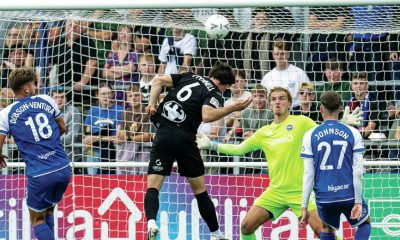

You can watch ALL National League games, live or on demand HERE
After a short break for the magic of the FA Cup, the spotlight swings back to the National League for two nights of midweek drama.
Every match from Round 17 over the next two nights is live on DAZN, with selected coverage also coming from the North and South divisions.
Brackley Town – fresh from their FA Cup giantkilling of League Two Notts County – are back in action as they host Braintree Town, while Boreham Wood, who eased past Crawley Town at the weekend, welcome Aldershot Town.
In total, 10 fixtures are set to light up the Enterprise National League (after Rochdale vs Scunthorpe United was called off due to a waterlogged pitch), with one match apiece also available from the Enterprise National League North and South.
For exclusive stories and all the detailed Non-League news you need, subscribe to The Non-League Paper website, digital edition, or newspaper from as little as 14p a day.
National League (all games to kick off at 19:45pm)
Tuesday
Boreham Wood v Aldershot Town
Carlisle United v FC Halifax Town
Hartlepool United v Morecambe
Yeovil Town v Wealdstone
Wednesday
Altrincham v Boston United
Braintree Town v Brackley Town
Solihull Moors v Truro City
Sutton United v Eastleigh
Woking v Southend United
York City v Gateshead
National League North and South
Oxford City v Hereford (Tuesday 4 November 19:45pm kick off)
Farnborough v Torquay United (Wednesday 5 November 19:45 kick off)
How to get a DAZN account to watch the National League
DAZN is the home of the National League, broadcasting over 600 games per season – live or on demand – from across all three divisions.
Best of all fans can watch on almost every device, anytime, anywhere, and anyhow. If you don’t already have a DAZN account, here is how to set up one.
How to watch DAZN
DAZN can be watched on almost every smart TV, smartphone, tablet, games console, streaming device and laptop / MAC / PC.
How to download the DAZN App and set up an account
- On your smart TV, phone, tablet, or streaming device go to the App store, search
for ‘DAZN’ and download - Once downloaded, open the App and select ‘Get started’ or ‘log in’
- Manually enter your email address and choose a password. Or sign up via the
Apple, Google or Facebook options - You now have access to all of DAZN’s free content, including FIFA+, LIV Golf and
the Matchroom boxing channel
On a laptop/PC, visit www.DAZN.com/home and then follow the above instructions.
How to sign up for a National League subscription
A National League subscription comes in two Annual options – to pay upfront or in 12 monthly instalments – or a Monthly Flex option, which can be cancelled with 30 days’ notice.
To sign up for a subscription:
- Open the DAZN App or go to www.DAZN.com/home
- Ensure you are signed in to your account
- Find the National League section in the App or click here
- On the National League page click ‘Get started’
- You will be presented with the different subscription options and pricing
- Choose the option you want and click continue
- Then enter your payment details, if you have not entered them previously
Click HERE to watch every National League fixture, live or on demand, via DAZN
READ MORE: Scunthorpe United confirm Jonathan Gjoshe injured in ‘shocking’ train attack




Featured
BT Calling

Dagenham & Redbridge
Dagenham & Redbridge boss Lewis Young wants to lead revival after relegation

Non-League Paper
Club allocations revealed: 2025-26 league line-ups unveiled
Follow us
Read our latest news on any of these social networks!



Tackle the News
- Sign Up for our weekly Non-League Newsletter